








How We Built an LLM Document Classifier That Labels Every Document in One Call
How we built an LLM document classifier: one model call returns five fields, label rules written as decision tests, our own schema check and a weekly eval.

TL;DR
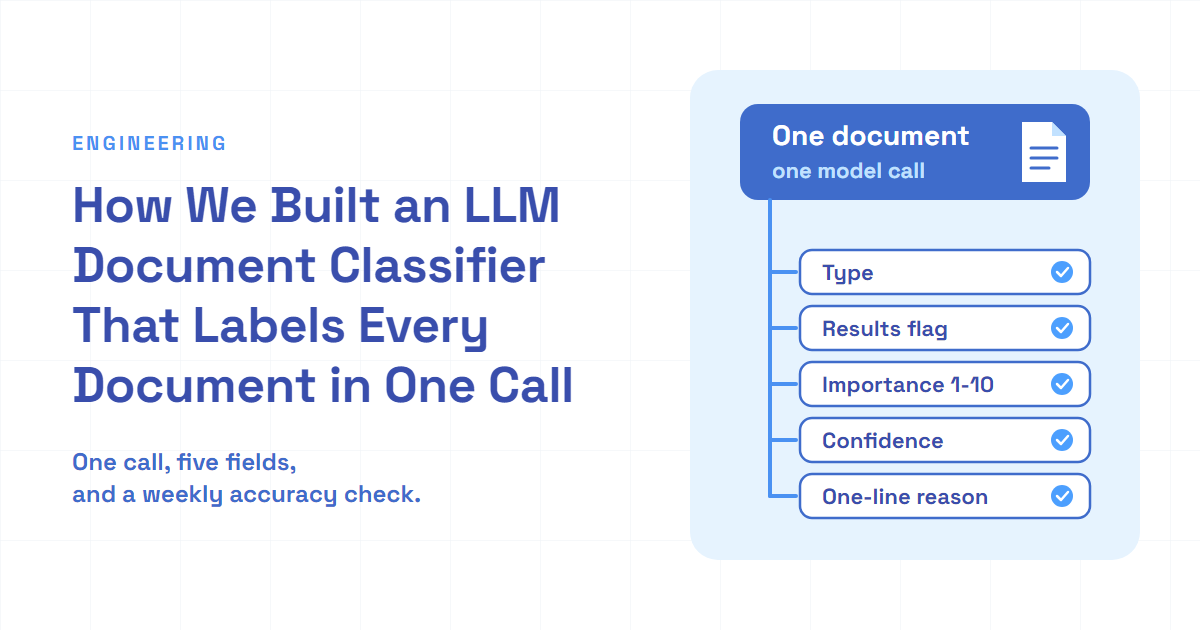
- One structured model call per document now returns everything the rest of the system needs: the document's type, whether it reports results, how important it is, a confidence flag and a one-line reason.
- We write label rules as tests the model can check on the page, such as "do these pages report figures for a period that has ended?", and the results flag holds up on real documents.
- The accuracy check runs every week as a scheduled job with an alert, and it has already caught its own setup breaking twice, once in a deploy and once in its test data.
Every document that reaches us gets a label before anything else happens to it. The label decides how we convert it, where search files it and whether anyone gets alerted. For a long time, most of our documents never got one.
You've probably dealt with a version of this. A shared folder full of PDFs called "attachment" or "notice", and the only way to know what each one is, is to open it. The subject line helps, until it doesn't. Page one is a cover letter, the real document starts on page three, and sometimes there's no real document at all, just a line saying it's available somewhere else.
Multibagg AI is an AI-powered stock research platform for Indian investors. Companies publish a steady stream of filings, and each one has to be typed, meaning labelled with its document type, before we can search it, route it or alert anyone, so a wrong label means results nobody sees, or a sustainability report answering a question about annual numbers.
Here's how we replaced a first-page guess with an LLM document classifier that makes one call per document, the rule-writing style that made it reliable, and the weekly check that keeps it honest.
| Old first-page classifier | One-call classifier | |
|---|---|---|
| Documents that get a type | Only those over 10 pages | 99.99% of new documents with a PDF |
| What the model reads | Page one, as converted text | Up to 10 page images |
| Answers per call | Type, importance | Type, results flag, importance, confidence, reason |
| Catch-all class | "Not sure", 80% of labels | "Announcement", defined by exclusion |
| Accuracy check | None | Weekly, 97.3% on the balanced test set (latest run), alert below 95% |
The old column comes from its code and its stored labels; the new one from production documents since September and our test set.
The old classifier read page one, and only for long documents
Before this, typing happened late, as a side step of conversion. A worker converted the whole PDF to text first. Then it counted pages. A document of 10 pages or fewer was assumed to be an announcement and indexed with a default importance score. Only longer documents went to a model, and the model saw just the first page of text.
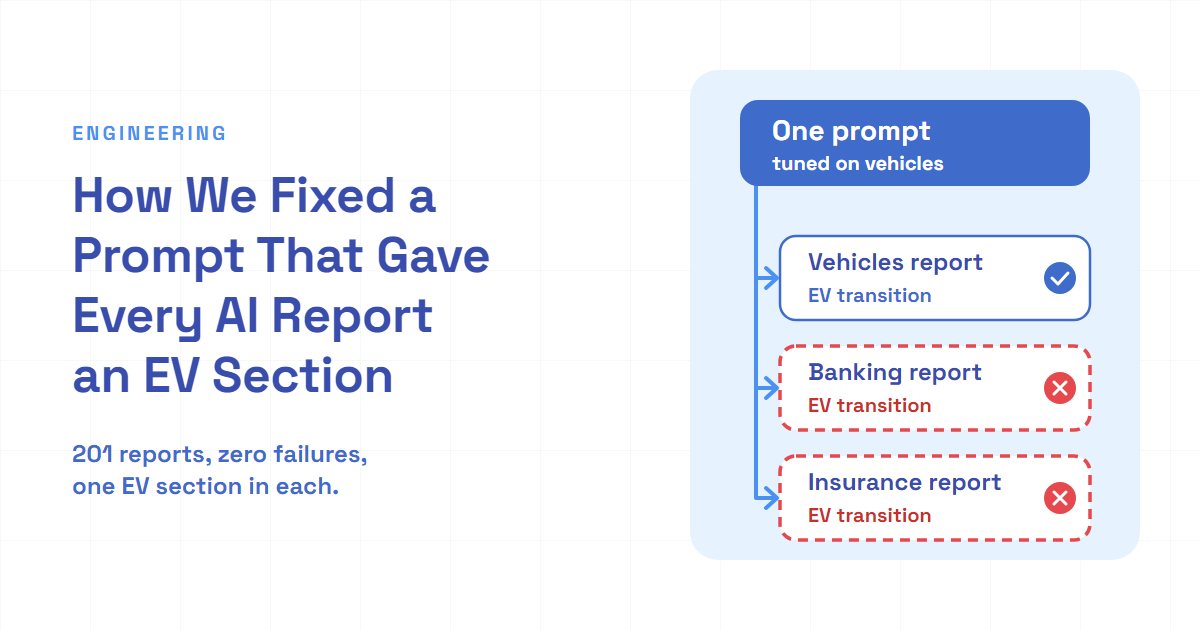
The model had four choices: annual report, slide deck, call transcript, or "not sure", which the prompt defined as "can't tell from the first page alone". If the call failed for any reason, the code fell back to "not sure" and the default importance. And only "not sure" documents continued down that path into search. The other three types were skipped there, and the code's own docstring admitted they were effectively dropped.
flowchart TD
    A["New document arrives"] --> B["Convert the whole PDF to text"]
    B --> C{"More than 10 pages?"}
    C -->|"no"| D["Assume announcement, default importance"]
    C -->|"yes"| E["Model reads page one only"]
    E -->|"not sure, or the call failed"| F["Index as an announcement"]
    E -->|"report, deck or transcript"| G["Skipped on this path"]
    D --> F
Three things were wrong with that, and comparing the stored labels with the new classifier's re-read of the same documents shows all of them.
- "Not sure" mixed two meanings. It meant both "this is an announcement" and "I couldn't tell". 80% of the old labels were "not sure". When the new classifier later re-read those same documents, it typed 95% of them as announcements and about 4% as slide decks. So most "not sure" answers were announcements, and the label had no way to say so.
- Annual reports were defined by what they contain. The old prompt described an annual report as a full-year report with financial statements. Plenty of documents have financial statements. When the new classifier re-read the documents the old one had called annual reports, it kept that label on about a third. Most of the rest had subject lines saying quarterly results, meeting outcomes or sustainability reports. The new classifier isn't a perfect judge of annual reports either (more on that at the end), but those subject lines speak for themselves.
- The type came after the expensive part. By the time anything knew a document was a 200-page report, the text converter had already chewed through all of it.
Results had a separate problem. Whether a document reported results came from a different prompt in another step, so two model calls could form two opinions about the same document.
One call returns five fields
A teammate built the first version of the new classifier, and we've reshaped it together since. The core decision: classify at arrival, before conversion, with one structured model call per document that returns every field downstream code reads.
import { z } from "zod";

export const DOC_TYPES = ["Call transcript", "Slide deck", "Annual report", "Announcement"] as const;

export const ClassificationSchema = z.object({
  docType: z.enum(DOC_TYPES),
  reportsResults: z.boolean(),
  importance: z.number().int().min(1).max(10),
  confidenceHigh: z.boolean(),
  reasoning: z.string(),
});

export type Classification = z.infer<typeof ClassificationSchema>;
Each field has a reader:
- docType picks the conversion path. Slide decks and annual reports go to a vision-based converter; transcripts and announcements go to a text converter. It also files the document in search.
- reportsResults feeds the views that track results.
- importance is a 1-10 score against an anchored rubric, with procedural notices at the bottom and mergers and insolvency at the top. It decides what's worth an alert or a digest.
- confidenceHigh is a boolean, not a float. A model's 0.73 isn't calibrated, and nobody knows what threshold to put on it. A yes or no doesn't claim precision the model doesn't have.
- reasoning is one sentence naming the signal the model used. We log it and keep it in eval runs for triage. It isn't stored on the document.
Why one call? Because the fields share the evidence. The same pages that show a slide deck also show whether it reports results and how much it matters. Asking separately means paying for the same pages again and letting the answers drift apart. We did consider folding classification into an existing summary call, and a teammate ruled it out: that call only ran on documents already converted to text, which leaves out annual reports, since they go to a vision converter, and it would have tied typing to the slowest step in the pipeline. So classification got its own queue.
One field went the other way. The first version also asked for an implied event date. Linking already used the document's own filing date, so nothing needed the model's guess. I removed it from the prompt and the schema. A field nothing reads still costs tokens, and it's one more thing for the model to get wrong.
The default class is defined by exclusion
The new catch-all is "Announcement", and the prompt defines it by what it isn't: anything that isn't a transcript, a slide deck or an annual report. Doubt doesn't live in the type anymore. It lives in confidenceHigh. That split is the whole fix for "not sure": the type answers "what is this?", and the flag answers "how sure are you?".
The exclusion also catches a sneaky case. Plenty of documents are just pointers: "please find attached", "the recording is available at", "kindly refer to". The prompt says a document that only refers to another document is an announcement, whatever the other document is. Otherwise a one-page notice about a call transcript gets typed as a transcript.
Label rules work best as tests the model can run
The prompt has a handful of rules, and the ones that held up share a shape: each is a test the model can check against the page, not a description of a category.
| Weak rule | Decision test |
|---|---|
| An annual report is a long report with financial statements | Annual report only when the subject line says so; a sustainability report is not one |
| Results flag: true for a results announcement, false for meeting notices and compliance filings | Do these pages report figures for a period that has ended? A notice says results are coming, an outcome attaches them |
| Not sure: can't tell from page one | Announcement: anything that isn't one of the other three, including a document that only points to another |
Other rules follow the same style: read the subject line first and weight it heavily, look through a cover letter to the document behind it, and treat a quarterly results deck as a slide deck.
The results flag is the one I learned this on. I added the flag, and my first rule was the weak one in the table. A teammate's review pointed at the hole: a results filing usually arrives as a compliance filing announced as a meeting outcome, so it matched both the true list and the false list. I rewrote it as one question, "do these pages actually report figures for a completed period?", decided from the attached pages and never from the subject line or the regulation cited, with separate true and false lists and the one-line test at the end.
On the test set, three runs came out at 96.8% with the flag added, 95.4% after some code-only review fixes that changed neither the prompt nor the labels, and 96.4% after the rewrite. The test set is a balanced sample of a few hundred documents, so a point is a handful of documents. The middle run shows the noise: nothing in the prompt or the labels changed, and it still moved a point and a half, from model variance plus whatever sample that day's seed drew. That's level, and the test set only grades the type. So the eval said the rewrite didn't hurt typing. Production said whether the flag works. Here's what it did on documents since September, grouped by what their subject lines say:
| Subject line says | Flagged as reporting results |
|---|---|
| Results will be considered at an upcoming meeting | 0.2% |
| The meeting's outcome, with results | 98.2% |
| A quiet period starts before results | 0% |
The pointer rule holds too: every document since September whose subject line mentions a recording, a webcast or a link came back as an announcement.
Read a sample of pages, and treat length as a hint
The model doesn't see the whole PDF. We render up to 10 pages as images: the first three, then pages 5, 10, 20, 40 and so on, doubling each time. A document of up to three pages gets read in full, a 7-page one gets pages 1, 2, 3 and 5, and a 300-page report gets its cover, its opening and a spread of samples from the body.
export function pickPages(totalPages: number, leading = 3, firstStride = 5, maxPages = 10): number[] {
  const pages = new Set<number>();
  for (let page = 1; page <= Math.min(leading, totalPages) && pages.size < maxPages; page++) {
    pages.add(page);
  }
  for (let page = firstStride; page <= totalPages && pages.size < maxPages; page *= 2) {
    pages.add(page);
  }
  return Array.from(pages).sort((a, b) => a - b);
}

console.log(pickPages(4));
console.log(pickPages(250));
For 4 pages that prints pages 1 to 3; for 250 pages it prints 1, 2, 3, 5, 10, 20, 40, 80 and 160.
We also tell the model the total page count, and the prompt carries a rough length profile for each type, fitted on our own documents. It's labelled as a prior only. Length separates a short announcement from a long annual report, but announcements and slide decks overlap heavily around 5-10 pages, and slide decks and annual reports overlap around 40-80. In those zones the prompt tells the model that length carries no information and to decide from the content.
Never trust the schema alone
We ask the model API for structured output against the schema. The API's own docs say that isn't a guarantee: a model can refuse with a reply that doesn't follow the schema, and a response that stops early can leave incomplete JSON. So the code reads the reply itself and checks it again.
const TRANSIENT_STATUSES = new Set([408, 409, 429, 500, 502, 503, 504]);

async function withOneRetry<T>(call: () => Promise<T>, delayMs = 5000): Promise<T> {
  try {
    return await call();
  } catch (error) {
    const status = (error as { status?: number } | null)?.status;
    if (status === undefined || !TRANSIENT_STATUSES.has(status))  error;
      ( (resolve, delayMs));
     ();
  }
}

   (): < | > {
   content =  (askModel);
   (!content) {
    ();
     ;
  }
   : ;
   {
    raw = .(content);
  }  {
    ();
     ;
  }
   parsed = .(raw);
   (!parsed.) {
    ();
     ;
  }
   parsed.;
}
Three choices in there:
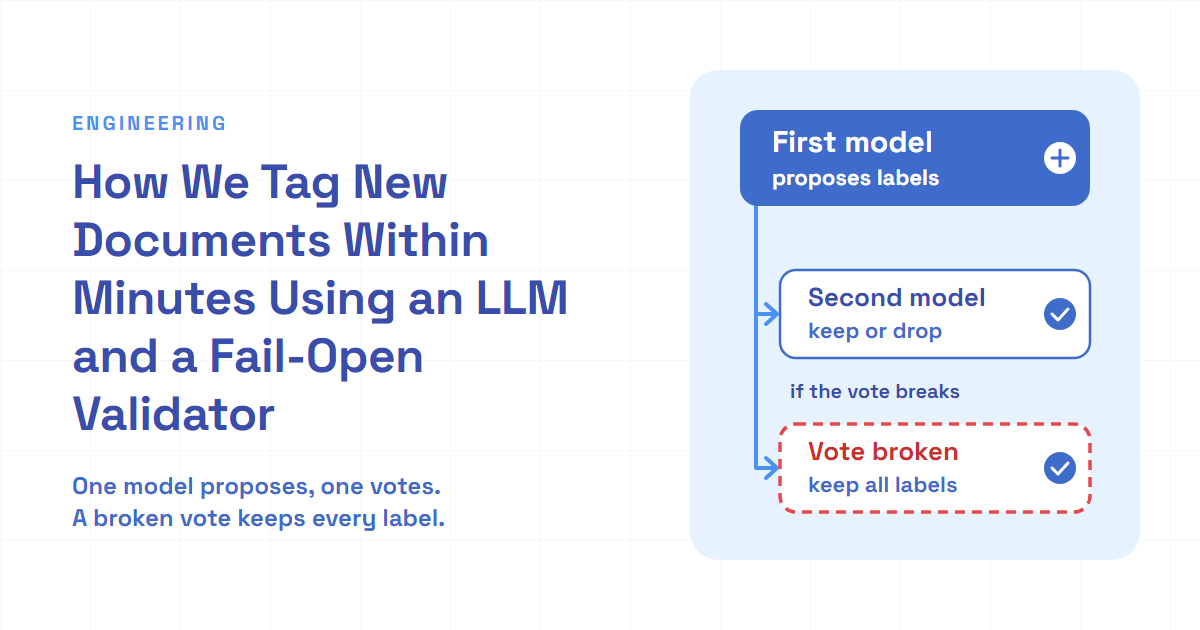
- Empty, unparsable and invalid all become null, with a log line. No partial answer gets written, and the caller throws on null, so the queue counts it as a failed attempt. The old fallback did the opposite: it turned every failure into "not sure" and sent it on as if it were a real answer.
- Two retry layers, each for its own kind of failure. Inside one attempt,
withOneRetryretries only transient HTTP errors (timeouts, rate limits, server errors), once, after 5 seconds; a bad request fails at once. Around that, the queue runs the whole job up to three times with a growing delay, which also gives a schema failure a fresh answer, since model output varies between calls. After the third failed attempt the job stays failed and the document stays untyped, where it shows up as a gap instead of a guess. Since September that's 0.01% of new documents. - Nothing is written until the answer is valid. The stored type is also the "already done" marker, so a document with a type is never classified again. Writing it last keeps a failed run recoverable.
flowchart TD
    A["New document arrives"] --> B["Skip exact duplicates by content hash"]
    B --> C["Render up to 10 page images"]
    C --> D["One model call with a strict schema"]
    D --> E{"Valid answer after our own check?"}
    E -->|"no"| F["Log it, write nothing, let the queue retry"]
    E -->|"yes"| G["Route to the right converter by type"]
    G --> H["Store type, results flag, importance, confidence"]
    I["Weekly check on a balanced test set"] -.->|"alert below 95%"| J["Team chat"]
The accuracy check is a production job
A classifier prompt is code that changes often, and every change can move accuracy. A teammate built the eval harness, which runs the real classifier over a labelled test set and grades the answers. I built the labelled source it samples from and split it into two parts: ordinary base cases, and corner cases, each with a reason it's tricky (a one-page notice linking to a transcript, a slide deck from a shareholder meeting, an annual report under 50 pages). Every run includes all the corner cases, then fills each of the four types to an equal share with base cases, sampled with a seed taken from the date. Equal shares matter because announcements dominate real traffic, and an unbalanced set scores well just by being good at announcements.
Then I made it a job. Every Sunday, the eval runs inside our morning job chain and posts the result to team chat: accuracy, counts, cost and links to the run files. Every message tags the classifier's owners, and below 95% it's a warning instead of a pass. Our runs so far land between 95.4% and 97.3%, so the line sits close to normal noise: one warning means read the run file, not roll back. A failed run posts a failure alert. A teammate's review shaped two details: the eval runs as its own root entry, so it can't delay the morning email, and it takes its options as arguments instead of reading the worker's command line, so it can never exit the worker process.
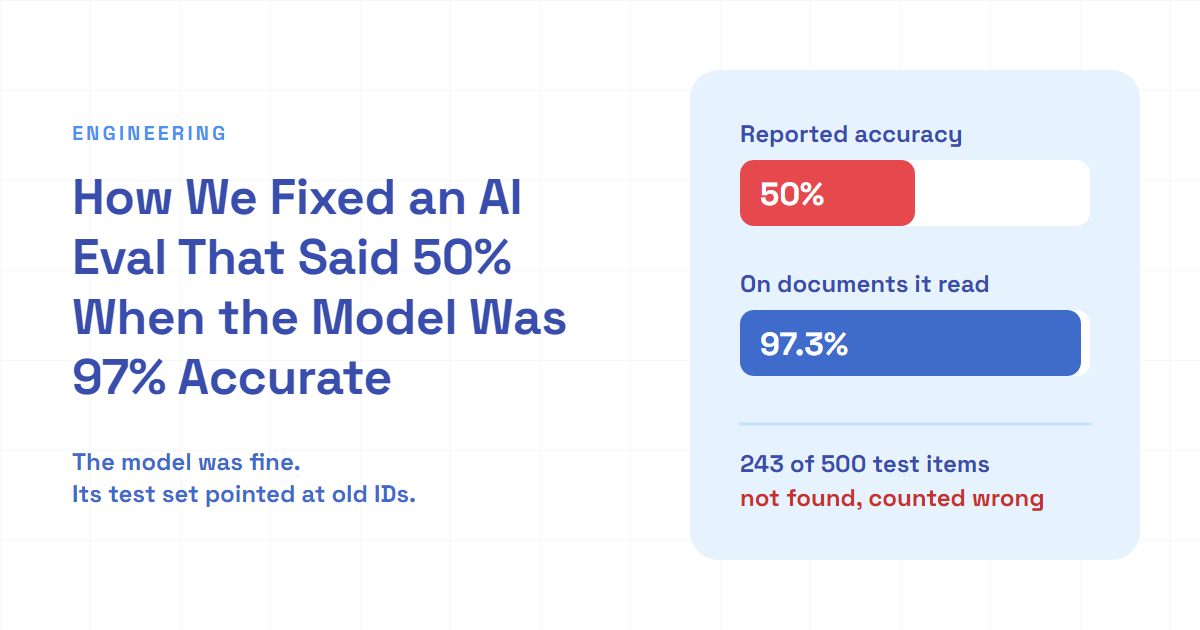
The job has already earned its keep twice, both times by catching its own setup breaking. First, it failed on its first fresh deploy with a "file not found" error. The output folder for the built test set was gitignored, so it didn't exist in a new container, and the error named the first file it tried to write, which made it look like a missing input. One line that creates the folder fixed it. Second, after we consolidated two document tables, it reported 50.4% accuracy. The model was fine. About half the test items pointed at IDs that no longer existed, and lookup failures counted as misses. After remapping them by content hash, the same check read 97.3%. That one has its own write-up.
What this design costs
- Images cost more than text. Ten page images are more tokens than one page of text. We cap the pages, render at 150 DPI and compress to JPEG to keep that in check.
- One call couples the fields, and the test set can't see small moves. A prompt change for one field can move another, and a per-type slice, a quarter of a few hundred documents, is too small to show it. The code-only run moved announcement accuracy from 93.6% to 88.8% with no prompt or label change at all.
- Sampling means guessing about the pages in between. A 300-page document is judged from 9 of them, and a 7-page one from 4. The doubling stride keeps coverage across the document, but a section that only shows up between samples is invisible.
- Typing now sits in front of conversion. A document whose call keeps failing isn't converted at all. We chose a gap over a guessed label.
- Confidence is stored, and nothing reads it yet. About one in five documents in production comes back low-confidence, and after the rule changes the model marked 20.6% of its correct test-set answers as low-confidence, up from 14.6%, so it got less sure even when it was right. No code acts on the flag.
Lessons for any LLM classifier
- Ask for everything you need from one reading, and nothing you don't. One call kept the fields consistent and paid for the pages once. Removing the date nobody read was the same rule from the other side.
- Make the default class a real class. "Not sure" isn't a type. Define the catch-all by exclusion and put doubt in its own field.
- Write rules the model can check on the page. "A notice says results are coming, an outcome attaches them" works because the model can look for the figures.
- Treat structured output as a request, not a promise. Parse it, validate it with your own schema, and write nothing when it fails.
- Run the eval as a job with an alarm, and make it loud about its own setup. Both times ours broke, the alert showed it the same morning: once as a failure, once as a number low enough to question.
The takeaway, and what's still open
An LLM classifier is mostly label design. Getting the labels right took us from typing only long documents from page one to typing nearly every document at arrival.
Some things are still open:
- Sustainability reports. Since September, documents with "sustainability report" in the subject line came back as annual reports more than half the time, despite the rule. Some of those attach the full annual report, so the next step is to label a sample and separate real misses from correct calls.
- Grading the other fields. The test set only has type labels. The results flag and importance are checked in production by subject-line groups like the table above, not by the weekly eval. Adding labels for the flag is next.
- Using confidence. Either something should act on the flag, such as a second look for low-confidence slide decks and annual reports, or the field should go.
- One edge case where the test set and the prompt disagree. The prompt says a transcript of a shareholder meeting isn't a call transcript, and a couple of corner cases say it is. One of them has to change.